 Cyber
CyberRoyalty Free Music for DJs: What It Really Allows
Royalty free does not mean copyright free, and stock background music is not built for mixing. Here is what the label really covers, where DJs find free tracks, and how to check a licence before you play, stream or upload a set.
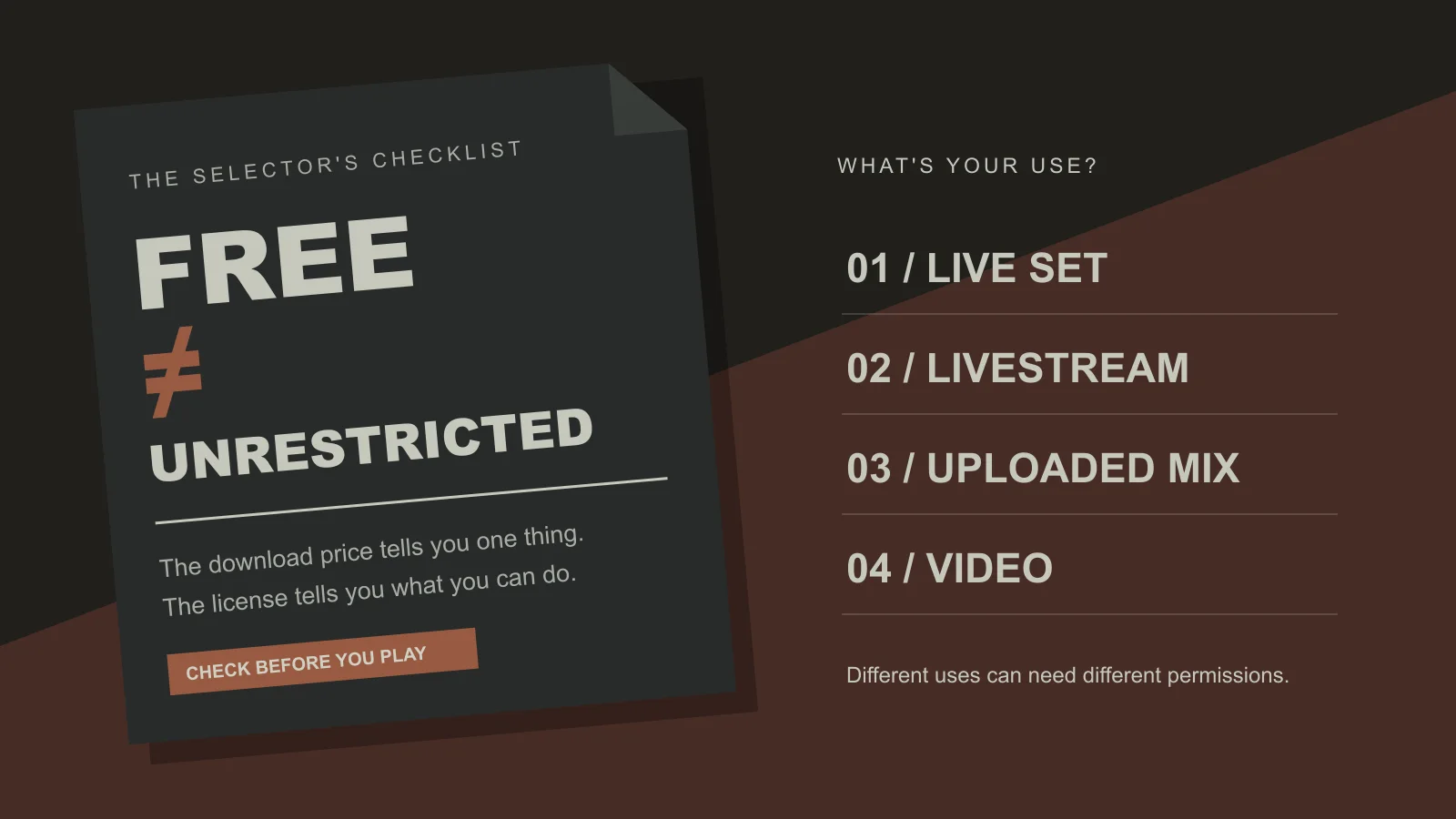
Royalty free music for DJs is music you can play without paying a fee every time it is used, but the label on its own tells you very little about what you are actually allowed to do. A track can be royalty free and still forbid re-uploading, editing or commercial use. This guide explains what the term means in practice, where DJs find free tracks worth playing, and how to check a licence before a set ends up in a club, on a stream or online.
What does royalty free music for DJs actually mean?
“Royalty free” describes a payment model, not ownership. Someone still holds the copyright. They have decided that, under certain conditions, you do not owe them a royalty each time the track is played. Sometimes you pay once, sometimes a subscription covers it, and sometimes it costs nothing.
The term comes from production music: libraries that license tracks for film, TV, radio and online video. Those libraries usually own their catalogues outright, which lets them grant permission quickly and at a set rate. That model was built around syncing music to pictures, not around a DJ blending two records in a club. So when a track or a site is labelled royalty free, ask three questions:
- What does it cost? Free, a one-off payment, or a subscription.
- Where can I use it? Live sets, livestreams, recorded mixes, videos, or only some of these.
- What can I change? Whether you can edit, loop, remix or re-upload the audio.
The answers live in the licence or the site’s terms, not in the headline. Two tracks both described as royalty free can have very different rules.
Royalty free vs free vs copyright free
These three phrases get mixed up constantly, including on download sites. They describe different things.
| Term | What it describes | What it does not promise | Typical DJ use |
|---|---|---|---|
| Free | The price of downloading | Any right to stream, broadcast, edit or re-upload | Promo tracks, artist giveaways, free libraries |
| Royalty free | No per-use royalty to the owner under the licence terms | That the music costs nothing, or that every use is allowed | Stock libraries, some pools, open-licensed releases |
| Copyright free / public domain | No copyright owner restricting use | That modern recordings labelled this way really are | Rare for current electronic music |
| Open licence (such as Creative Commons) | Pre-set permissions chosen by the creator | Commercial use or edits, depending on the variant | Netlabel releases, independent producers |
Two practical points follow from this. First, “no copyright” claims on video sites are often wrong or overstated, so treat them with suspicion. Second, open licences come in variants: a NonCommercial condition may rule out paid gigs or monetised streams, and a NoDerivatives condition may rule out edits and mashups. Read which variant applies.
A separate layer sits on top of all this. In many countries, venues and broadcasters hold public performance licences through performing rights organisations, and streaming platforms run their own content-matching systems. A royalty-free licence on a track does not replace those arrangements, and the rules vary by country, so check local requirements if you run your own events.
Where do DJs download their music for free?
Most DJs build a library from several sources rather than one. Each has strengths and catches.
Free tiers and trials of record pools
A record pool is a service that supplies DJs with tracks, often including radio edits, intros and extended versions. Most are paid subscriptions, but some offer free tiers, limited monthly downloads or trial periods. The music comes from labels and artists who want DJs to play it. Check whether the pool’s terms cover recorded mixes as well as live play, because that is where many differ.
Artist and label giveaways
Producers often give tracks away to build an audience, sometimes in exchange for an email address or a follow. These can be excellent, current club music. The licence is often unstated, which usually means the artist expects you to play it but has not granted rights to re-upload or sell it. If you want to use one in an uploaded mix, ask.
Open-licensed and netlabel releases
Some labels release whole catalogues under open licences. This is one of the clearer routes to tracks you can legitimately play, because the permissions are written down. The trade-off is variety and production polish, which range widely.
Stock music libraries
Stock libraries are built for video creators, podcasters and advertisers rather than DJs. Tracks are often two or three minutes long, edited to fit footage, and lack the long beat-only intros and outros you need for a smooth blend. They can work as a background bed for a promo video. They are a weak foundation for a real set.
Free libraries of original electronic music
Some sites publish original full-length tracks specifically for listening and DJing. CyberDJ is one example: it offers original electronic music for free streaming and MP3 download, with each track tagged with BPM and key. Genres run from house, techno and trance through drum and bass, garage and UK bass, breaks, disco and indie dance, synthwave, downtempo, global bass and hip-hop. Listening and live DJ performance are allowed; redistribution, resale and re-uploading the tracks are not. The licensing page sets out the terms, and you should read it before using tracks anywhere beyond a live set. It is not public domain or unrestricted, and it is best treated as music you are permitted to play rather than music you own.
What your licence needs to cover
Think about where your set actually goes, then check each destination against the terms. The same track can be fine in one place and off-limits in another.
Live sets in a venue
This is the use most free DJ sources are designed for. Even so, confirm that live performance is permitted, and remember the venue’s own performance licensing is a separate matter.
Livestreams
Streaming platforms scan audio and may mute, block or flag a stream regardless of what your licence says. Clear permission helps if you need to dispute a claim, but it does not stop automated systems from acting first.
Recorded mixes and podcasts
A recorded mix is a copy of the music distributed to listeners. Many licences that allow live play are silent on this or exclude it, and “no re-upload” terms may apply. Check every track in the mix, not just most of them.
Video content and edits
Putting a set behind a video, or making your own edit of a track, can need permissions that a DJ licence does not include. Stock libraries handle video syncing well; DJ-focused sources often do not cover it.
A worked example: building a one-hour set from free sources
Say you are preparing a one-hour house-to-techno warm-up for a small bar, and you also want to record it for your own practice. Here is a practical way to source free tracks for it without cutting corners.
- Decide where the set will live. Live at the bar, plus a private recording you will not upload. That narrows the permissions you need to live performance.
- Pick genres and a tempo path. Start in deeper house and move toward driving techno. If the line between the two feels blurry, this guide to techno vs house explains how the rhythm, sound and energy differ, which matters for when you switch.
- Shortlist about 20 tracks. For an hour you might play 12 to 16, so pull extras. Use a browsable library or the genre directory to filter by style, and note each track’s BPM and key.
- Check structure, not just sound. Skip anything without a usable intro or outro. Listen for clean drum-only sections of 16 or 32 bars at each end.
- Record the source and licence for each track. A simple spreadsheet with track, artist, source, licence and allowed uses saves you later if you decide to upload the mix.
- Plan the key and tempo flow. Group tracks that sit near each other in tempo and in compatible keys, then sketch a running order that rises gradually.
- Practise the transitions. Rehearse the blends by ear first. If your timing drifts, work through how to beatmatch step by step.
If you later want to upload that recording, go back to the spreadsheet and check each row. Any track whose terms forbid re-uploading, or whose terms are unclear, should be swapped out or cleared with the rights holder first.
Common mistakes DJs make with free music
- Treating “free download” as permission. The price of a file says nothing about your right to stream, broadcast or redistribute it.
- Trusting “no copyright” labels. Many videos and sites use the phrase loosely. If a source cannot explain where the music comes from, assume restrictions apply.
- Downloading chart tracks from unofficial sites. Free copies of major releases from unclear sources are often unauthorised. Beyond the legal risk, files can be low quality or bundled with malware.
- Using stock edits in a club. Short, faded tracks are hard to mix and break the flow of a set.
- Forgetting the mix upload. A licence that covers your live gig may not cover the recording you post afterwards.
- Re-uploading tracks you like. Sharing the original files, even with credit, usually breaches the terms of free libraries and giveaways.
- Ignoring audio quality. Low-bitrate files sound thin and harsh on club systems. Prefer full-quality downloads from the original source.
Making your own tracks and tools to play them
The cleanest way to control rights is to play music you made. Original tracks, edits of your own work and simple DJ tools such as drum loops or transition beds remove most licensing questions, provided any samples you use are cleared or come with a licence that allows it. Even a few personal tracks give your sets a recognisable identity.
If you are new to production, start with what a DAW is and how one fits into a workflow. Siren is a music-production DAW from CyberDJ, free to use with optional paid AI workflows for song and sound-effects generation. On the playback side, Doof is CyberDJ’s DJ software, also free with optional paid features. Installers for both are not yet published, so treat the product pages as information about what is coming rather than a download link today.
Whatever mix of sources you settle on, the habit that matters most is the same: know where each track came from and what its terms allow. Free and royalty-free tracks are genuinely useful, especially when you are building a library on a small budget, as long as you read the terms for where your set is going. For more practical skills, the DJ guides cover mixing, genres and production basics.
Frequently asked questions
Is royalty free music the same as copyright free music?
No. Royalty free music is still owned by someone. The owner has chosen to let you use it without paying a fee each time it plays, usually under specific conditions. Copyright free or public domain music has no owner restricting use, which is rare for modern electronic tracks. Always read the licence to see what the royalty free label actually permits, especially for streams, recordings and edits.
How do DJs get their music for free?
Most working DJs combine several sources: free promo tracks sent by labels and artists, free tiers or trials of record pools, tracks released under open licences, free download links that producers share to build an audience, and libraries of original music offered free for listening and DJing. Each source has its own terms, so free to download does not automatically mean free to stream, broadcast or re-upload.
Can I upload a DJ mix made from royalty free tracks?
Only if every track's licence allows it. Many licences cover live performance but are silent on, or forbid, uploading recorded mixes or re-uploading the audio. Some open licences ban commercial use or edits. Check each track's terms before uploading. If any track in the mix is unclear, either replace it, ask the rights holder directly, or keep that mix for live use only.
Is stock background music good for DJ sets?
Usually not. Stock libraries are designed for video, so tracks are often short, edited to fit footage and missing the long intros and outros DJs use for mixing. Their licences also tend to focus on syncing audio to video rather than live performance. Full-length club tracks with clean, beat-only sections at each end are much easier to blend and phrase in a set.
Are free music pools for DJs legitimate?
Many are, but quality varies. A legitimate pool gets tracks from labels, artists or rights holders who want DJs to play them. Be cautious of sites offering free downloads of chart releases with no clear licensing, because that often points to unauthorised uploads. Look for an about or licensing page that explains where the music comes from and what you are allowed to do with it.